

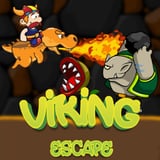
Viking Escape











Viking Escape
Flying the dragon is the easy half. Deciding when not to shoot is the game.
Ammunition is limited and refills appear on screen at intervals, so every shot is a small decision. Projectile types have different strengths and you swap between them with the icon on the left of the screen, which matters because the enemies behave differently. Some fire at you from range, others simply collide with you and drain health on contact. Dodging the second kind is cheaper than shooting it.
None of this is a dress up game, despite the company it keeps in the fantasy list. It is a side scrolling shooter set in a fantasy kingdom, and it plays with touch controls as well as a keyboard.
How to play Viking Escape
On a keyboard, steer with the arrow keys or WASD and press Space to fire. Click the projectile icon on the left of the screen to change ammunition type, and match the type to the enemy in front of you rather than firing whatever is loaded. On a phone, use the on screen arrows to steer, the same icon on the left to switch projectiles, and the shoot button on the right. Watch for ammo refills, since running dry mid wave leaves you with nothing but dodging.
More games like this


Developer
Viking Escape is made in house, and this is its home. It is not licensed from anyone else.
Frequently asked questions
Is this a dress up game?
No, it is an arcade shooter on dragonback. It sits under fantasy here, but there is no wardrobe and no styling in it.
Can I play it on a phone?
Yes. Touch controls appear on screen, arrows on the left to steer and a fire button on the right, free and with nothing to install.